DevOps Engineer Prazwal Bhattarai shared practical insights into modern Rails deployment workflows using Kamal, drawing from real-world deployment challenges and production infrastructure experiences.
In this episode of Ruby on Rails Meetup, the session explored how modern Rails teams can simplify deployments without relying on Kubernetes or complex cloud platform setups. As applications grow, deployment pipelines often become harder to manage, with increasing infrastructure complexity, downtime risks, and operational overhead. The talk focused on how Kamal helps teams ship containerized applications efficiently using Docker and SSH-based deployments.
What is Kamal?
Kamal is a deployment tool by 37 signals that ships your containerized app to any server you own, no Kubernetes, no cloud platform lock-in. If your app runs in Docker, Kamal can deploy it in minutes on the server.
Check out the full video here of Ruby on Rails 2026 event on From Dockerfile to Live Server: Kamal Deployment.
Fundamental Architecture
Three components work together to get your code live:
1. Kamal CLI
Runs on your machine. Orchestrates builds, pushes, and SSH connections to servers.
2. Traefik Proxy
Auto-managed reverse proxy. Handles routing, SSL via Let’s Encrypt, and health checks.
3. Docker
Runs your app container on the target server. Your registry stores the built images.
Deployment process
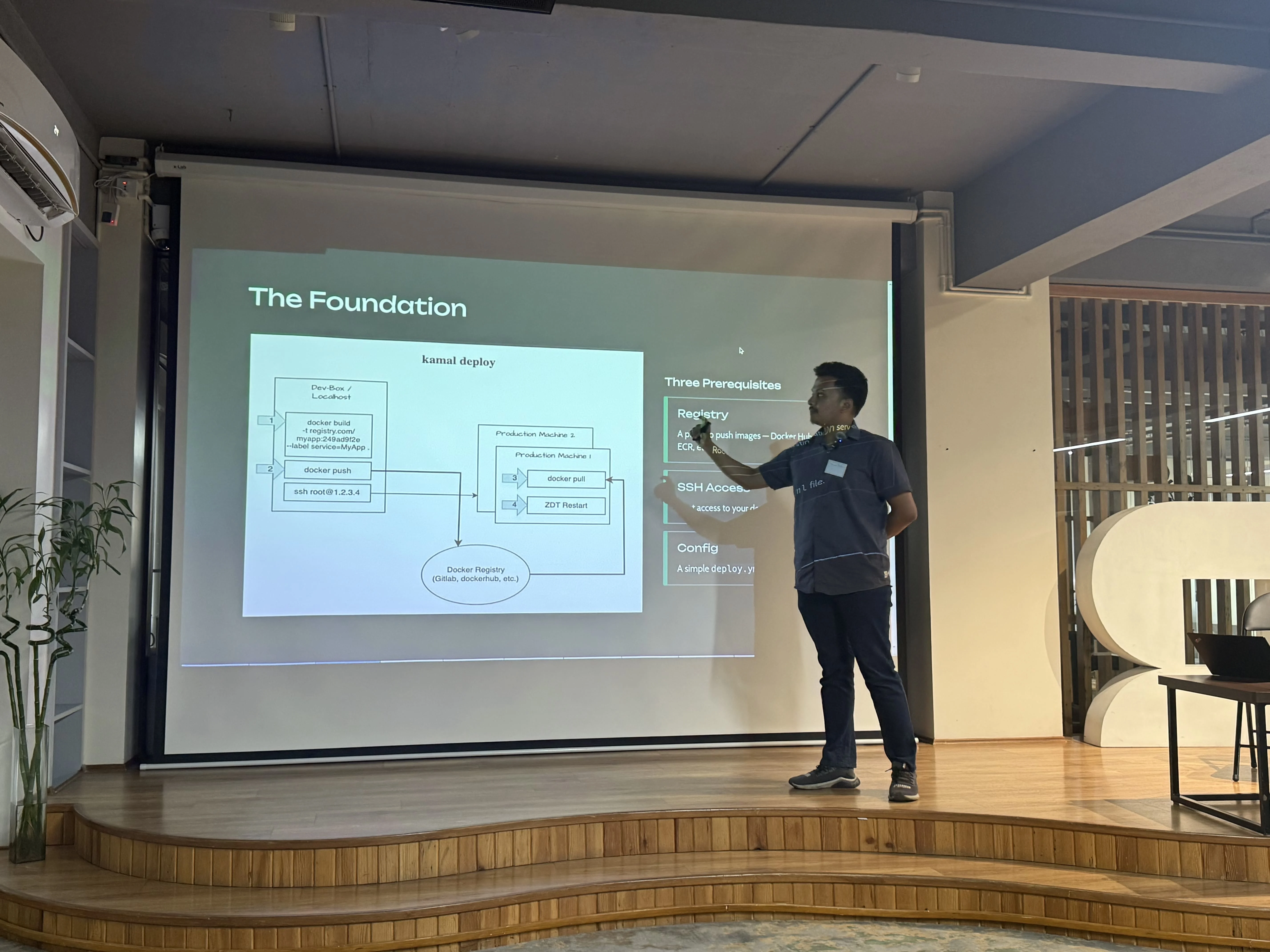
Every kamal deploy runs these steps automatically:
1. Build
Docker builds your image locally from the Dockerfile in your project root.
2. Push
The image is pushed to your container registry (Docker Hub, GHCR, or ECR).
3. Pull & Start
Kamal does SSH into your server, pulls the new image, and starts a new container alongside the old one.
4. Health check
Traefik waits for GET /up to return 200. If it fails, the deploy aborts safely.
5. Swap & cleanup
Traefik switches to the new container. The old one has stopped. Zero downtime, no dropped requests.
Minimal config
Everything lives in one file: config/deploy.yml
service: myapp
image: yourdockerhubuser/myapp
servers:
  web:
    - 192.168.1.100
proxy:
  ssl: true
  host: myapp.com
registry:
  username: yourdockerhubuser
  password:
    - KAMAL_REGISTRY_PASSWORD
env:
  secret:
    - DATABASE_URL
    - SECRET_KEY_BASE
Key commands
kamal setup- Install Docker on server; run oncekamal deploy- Build, push, and go livekamal rollback- Revert to previous version instantlykamal app logs -f- Tail live application logskamal app exec -i "rails c"- Open a remote console
If your team is too looking to scale Ruby on Rails deployments, streamline containerized infrastructure, or improve production reliability, our DevOps & Cloud Engineering services can help you build, deploy, and manage modern applications with confidence.